A working Meta Conversions API connection can still produce weak ad matching. Meta needs enough accurate customer information to associate each server event with an account. If those parameters are missing, stale, or formatted incorrectly, Events Manager reports lower Event Match Quality.
Hardal can handle the gateway and event delivery. The data available at the point of conversion still determines how well Meta can match the event.
What is Event Match Quality?
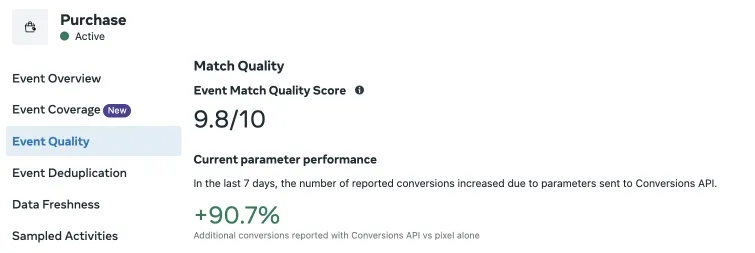
Event Match Quality is Meta's diagnostic for the customer information parameters sent with an event. The diagnostic is separate from conversion rate and event-delivery status. It shows whether Meta received useful identifiers for matching that event to an account.
Better matching gives Meta more conversion signals for attribution, reporting, audience creation, and campaign optimization. A higher score does not guarantee better campaign results, but weak matching leaves usable first-party data out of the system.
Send the strongest identifiers you have
Start with data the customer has provided and that you are allowed to use for advertising. Email, phone number, click identifiers, and a stable external ID usually give Meta more to work with than location fields alone.
| Parameter | Meta field | Implementation note |
|---|---|---|
em | Lowercase and trim before hashing | |
| Phone number | ph | Include country code and normalize before hashing |
| Meta click ID | fbc | Preserve it from the landing session when available |
| Meta browser ID | fbp | Read it from the first-party _fbp cookie when consent allows |
| External ID | external_id | Use a stable customer or account ID, not a new value per event |
| First and last name | fn, ln | Normalize consistently before hashing |
| City, state, postal code, country | ct, st, zp, country | Use Meta's expected normalized formats |
| Client IP address and user agent | client_ip_address, client_user_agent | Forward the values from the original web request |
Do not invent values or send empty strings to increase the parameter count. One correct email address is more useful than several malformed fields.
Normalize and hash customer data correctly
Meta requires specific customer fields, including email and phone number, to be normalized and hashed with SHA-256 before transmission. Normalize first, then hash. Hashing a phone number before removing spaces or hashing an email before lowercasing it produces a different value and prevents a match.
Some CAPI gateways and SDKs normalize and hash these fields for you. Check that behavior before adding your own hashing step. Double-hashed values will not match.
Browser and click identifiers such as fbp and fbc are sent in their original format. The same applies to the client IP address and user agent. Follow Meta's field-level rules instead of applying one transformation to every parameter.
Keep identifiers through the conversion path
Many matching problems begin before the CAPI request. A visitor arrives from a Meta ad, but the checkout, CRM, or backend job drops the click ID before the purchase event reaches the server.
Trace the complete path for one test conversion:
- Capture the available
fbcandfbpvalues on the landing page. - Carry them into the checkout or lead record.
- Attach the same values to the server event.
- Add authenticated identifiers, such as a customer ID or normalized email, when they become available.
A server event cannot recover an identifier that was never saved, especially when the conversion happens later or in another system.
Check event format and deduplication
Event Match Quality focuses on customer information, but the rest of the event still needs to be valid. Confirm the event name, event time, action source, source URL, and currency and value fields where applicable.
When the browser Pixel and CAPI send the same conversion, use the same event_name and event_id on both copies. Meta can then deduplicate them. Without a shared event ID, reporting may count one customer action twice.
Use Test Events in Meta Events Manager before judging the score. Inspect the received customer information parameters, fix warnings, and compare a real browser event with its server copy.
Use Meta feedback as a debugging queue
Treat the diagnostics in Events Manager as a list of implementation problems:
- A field is absent: trace where it disappears between the browser, backend, and gateway.
- A field has low coverage: confirm it is collected for the relevant conversion path.
- A field has formatting warnings: fix normalization before hashing.
- Browser identifiers are missing: check consent handling, first-party cookie access, and redirects between domains.
- Server and browser events do not deduplicate: compare their event names and event IDs.
Change one part of the payload at a time, then monitor new events. Historical events will not be repaired by a later configuration change.
Respect consent and data minimization
Only send customer data covered by your consent flow, privacy notice, and lawful basis. GDPR and other privacy rules still apply to hashed identifiers. Hashing changes how the data is represented. It does not remove your responsibility for how the data is collected and used.
Start with accurate fields that already exist in the conversion flow. Once those fields reach Meta in the expected format, use Events Manager to find the next missing signal.