Hardal gives each signal a read-only database connection. Add that connection to Looker Studio when you need a custom dashboard, a scheduled report, or a chart that is not available in the Hardal interface.
Looker Studio connects through its built-in MySQL connector. You do not need to build an export script.
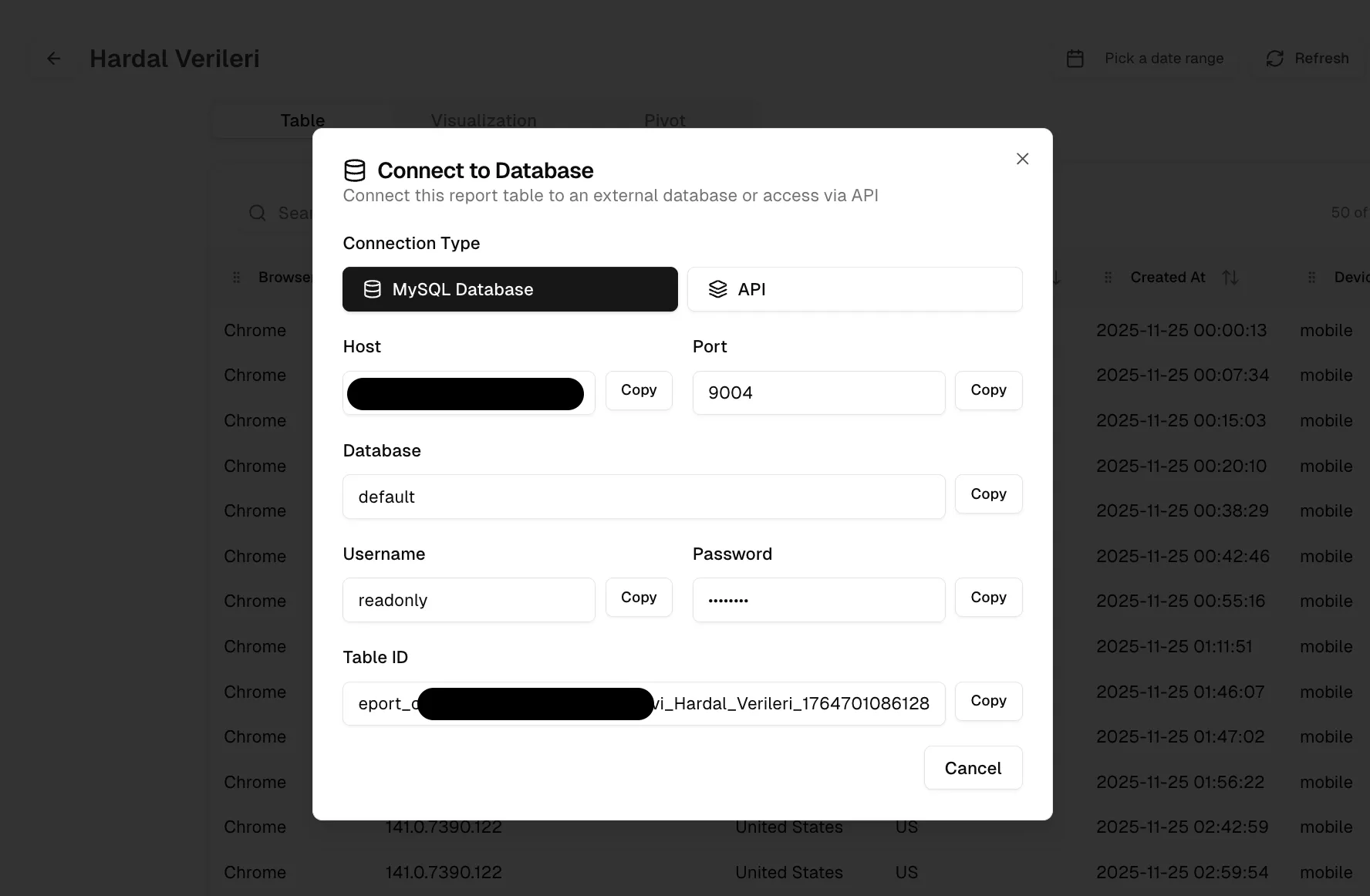
1. Get your Hardal database credentials
- Log in to the Hardal dashboard.
- Select your project and signal.
- Go to Settings → Database.
- Copy the hostname, port, database name, username, and password.
Some workspace versions also show the same credentials behind the Connect button on a dataset.
The credentials are read-only. Treat the password as a secret even though the account cannot modify or delete data.
2. Create a MySQL data source in Looker Studio
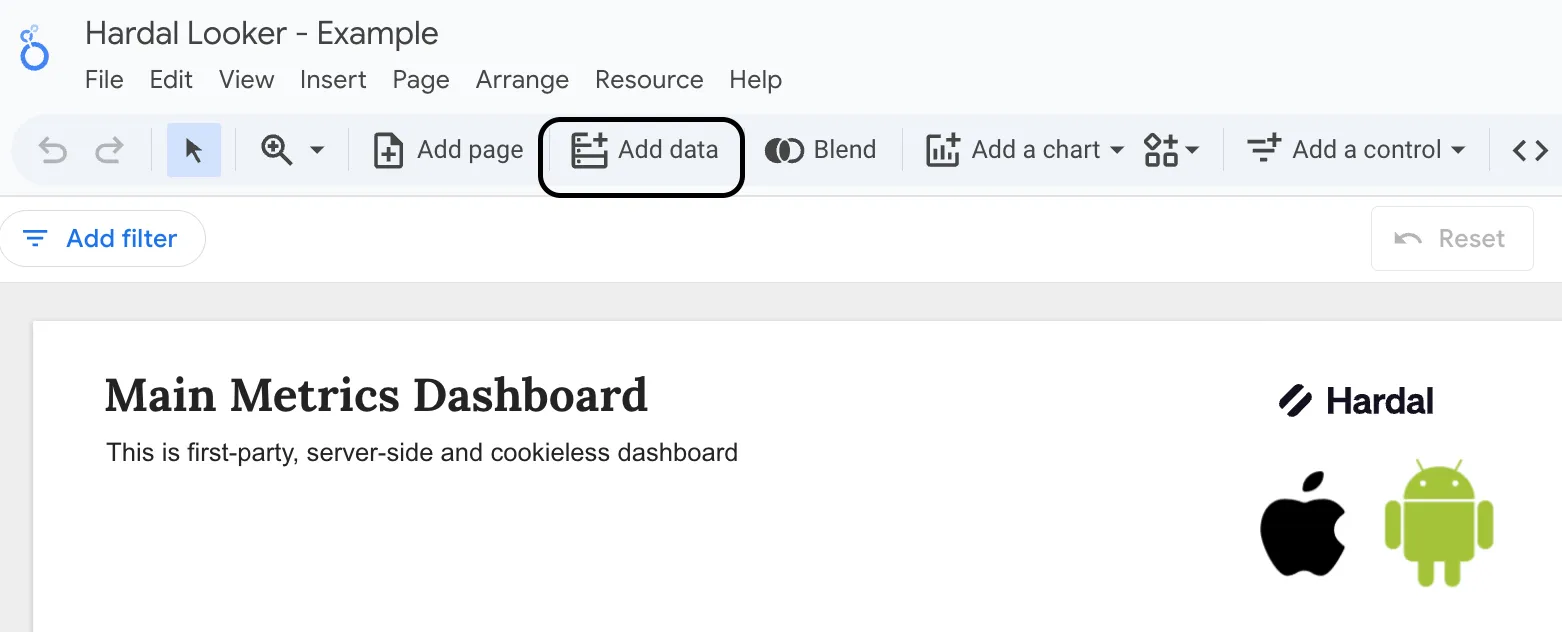
- Open Looker Studio.
- Click Create, then choose Data Source.
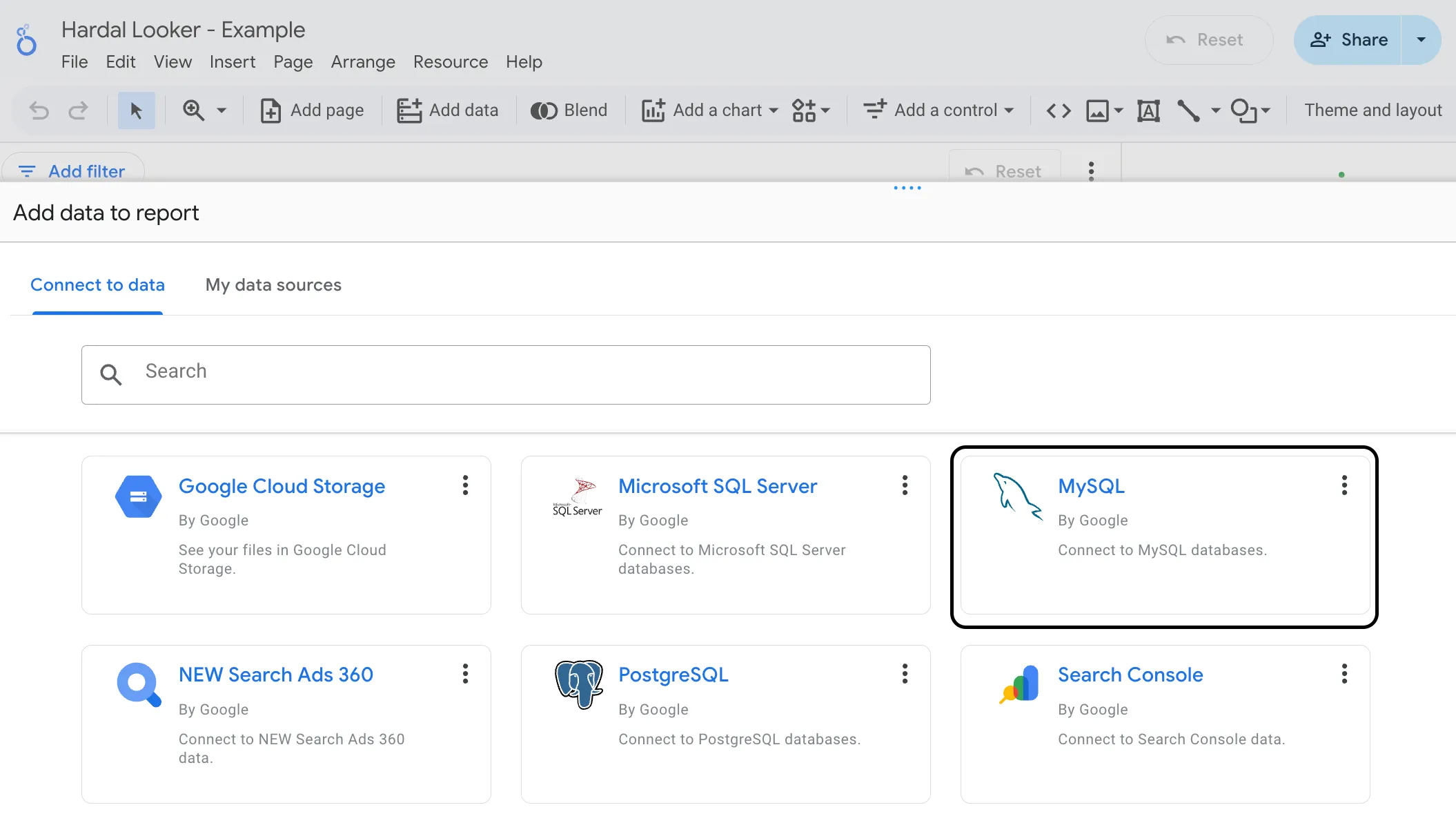
- Search for MySQL and select the Google MySQL connector.
3. Authenticate and select a table
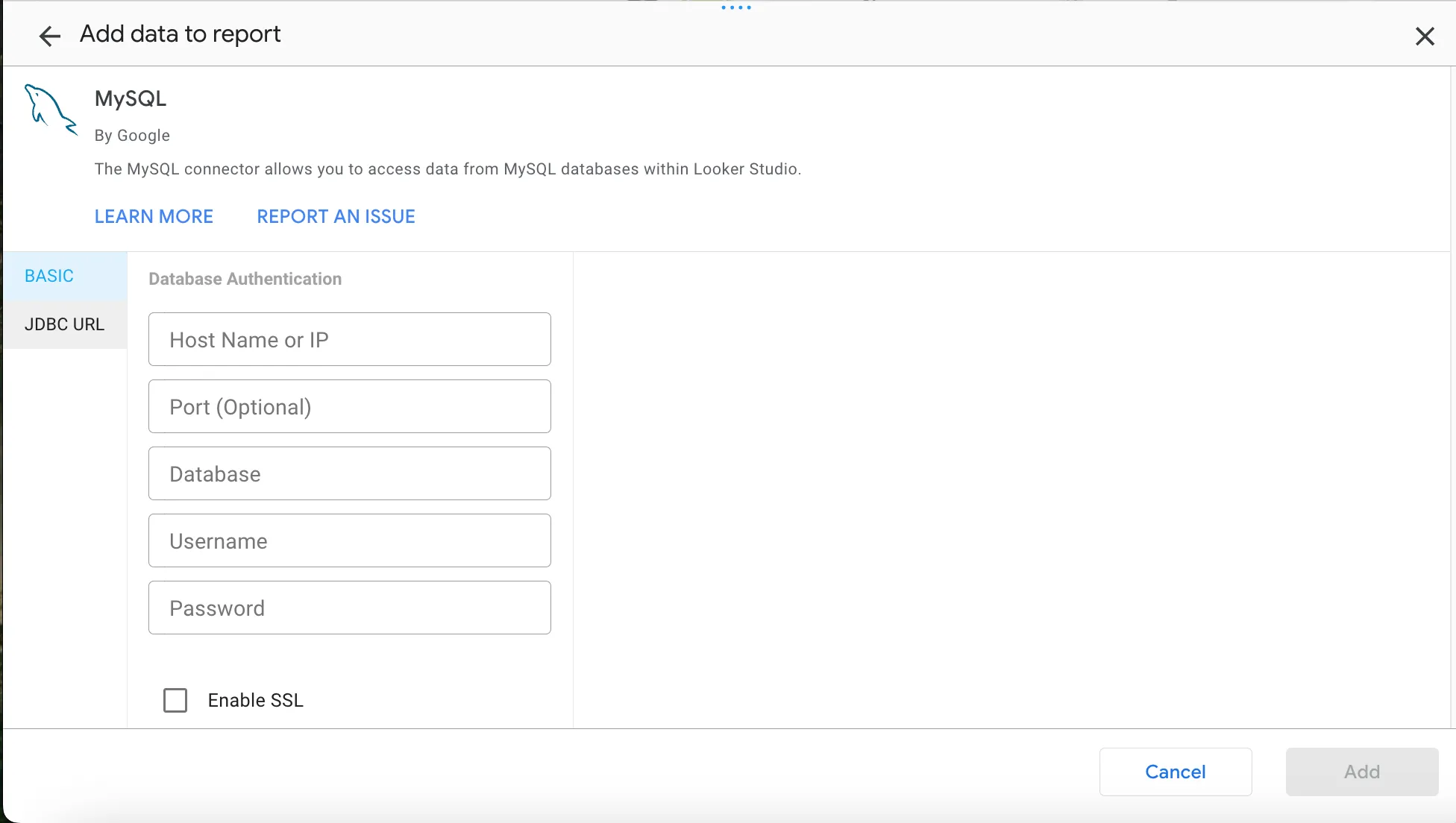
Enter the values copied from Hardal into the matching Looker Studio fields:
| Looker Studio field | Hardal value |
|---|---|
| Hostname | Host |
| Port | Port |
| Database | Database |
| Username | Username |
| Password | Password |
Click Authenticate, select the table you want to report on, then click Connect. A Looker Studio MySQL data source connects to one table. Add another data source if a report needs a second table.
Looker Studio now exposes the table fields as dimensions and metrics. Check each field type before building charts, especially timestamps, numeric event values, and IDs that Looker Studio may infer as numbers.
4. Build the report
Start with a table and a date control so you can validate the rows against Hardal. Once the totals agree, add the charts your team needs. Common examples include campaign performance by UTM source, event counts over time, conversion funnels, and product-level revenue.
If the connection fails, recheck the host and port, then confirm that your network policy allows Looker Studio to reach the database. Do not paste database credentials into a shared report description or commit them to source control.
The same database access can feed Tableau, Power BI, Hex, and other MySQL-compatible reporting tools. For the maintained setup instructions and troubleshooting steps, use the Hardal Looker Studio documentation.
You can also import Hardal first-party data to BigQuery when you need to join it with larger warehouse datasets before visualizing it.