I watched OpenAI's 2026 ChatGPT Ads Holiday Playbook webinar on November 4, 2026. In one demo, Julie Towns entered a coffee brand's website and the campaign flow suggested a purchases goal and draft creative. Before raising a holiday budget, I would check that product pages show current offers, the feed reflects price changes, and real purchase events arrive.
Julie Towns and Michael Iselin walked through five recommendations.
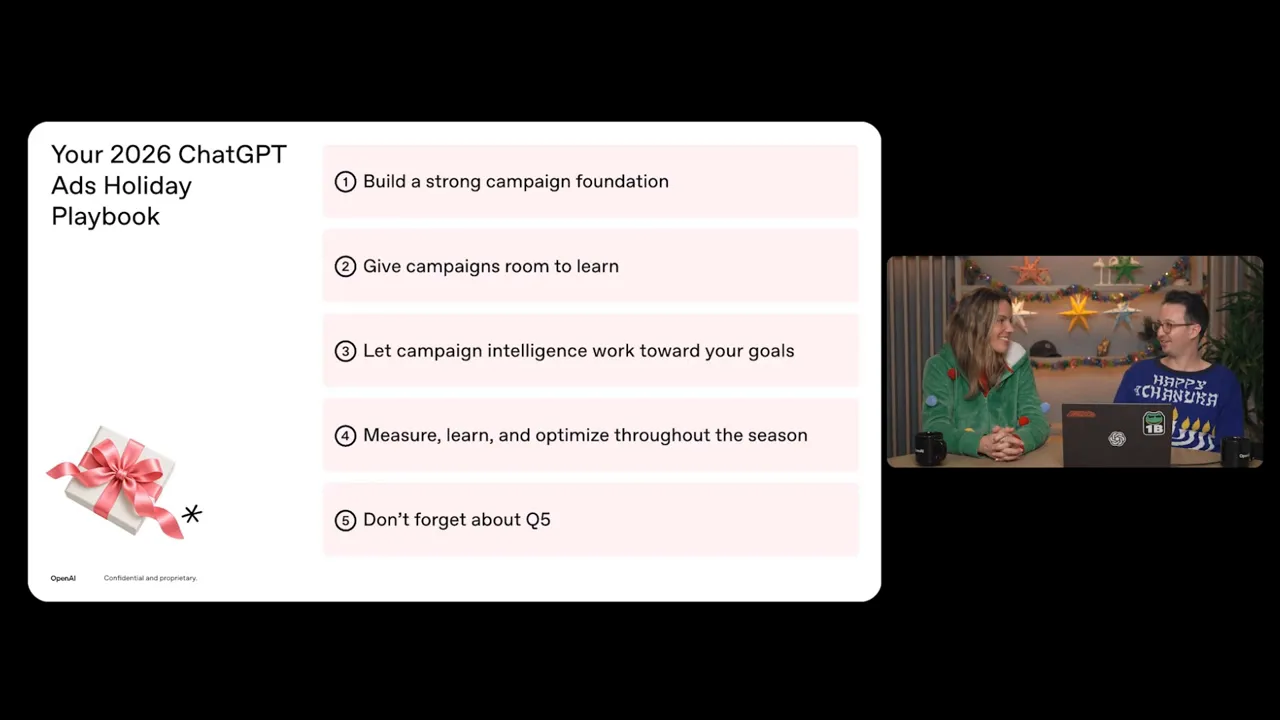
OpenAI's five holiday recommendations for ChatGPT Ads
| OpenAI's recommendation | My priority for marketers |
|---|---|
| Build the foundation | Test the exact landing page, purchase event, and product feed before raising the budget. |
| Give campaigns room to learn | Start before the peak, while shoppers are still researching. |
| Let campaign intelligence work toward your goals | Pick a real business outcome, then give bidding and creative useful inputs. |
| Measure and optimize | Review every few days, with reporting delays and event quality in mind. |
| Plan for Q5 | Prepare a new message for the period after Christmas. |
1. Set up ChatGPT Ads conversion tracking before Black Friday
OpenAI asks advertisers to make product and landing pages accessible, current, and clear about price, availability, benefits, and who the product is for. Its ad creative guidance also calls for a relevant page that its ad and search crawlers can reach. Send a shopper to the product or collection they saw, rather than making them search a generic homepage.
Next, define the action the campaign should pursue. Create a data source under Conversions in Ads Manager. The OpenAI Pixel sends browser events; the Conversions API sends server events. Record a completed order after it succeeds, not when someone merely views checkout. OpenAI's conversion measurement guide explains how those events connect to campaign reporting.
If you use both paths, give the browser and server copies of the same action the same event ID so OpenAI can deduplicate them. Preserve OpenAI's oppref click reference through redirects and pass it with server events when available. Keep UTMs on the landing URL for your own analytics. Our ChatGPT Ads measurement guide walks through the full test journey.
This is where Hardal's OpenAI Ads destination fits. If you already collect first-party purchase or lead events with Hardal, you can send them to OpenAI through the Conversions API instead of building another server-side event path. I would still test one real conversion and check that the right event reaches the right data source.
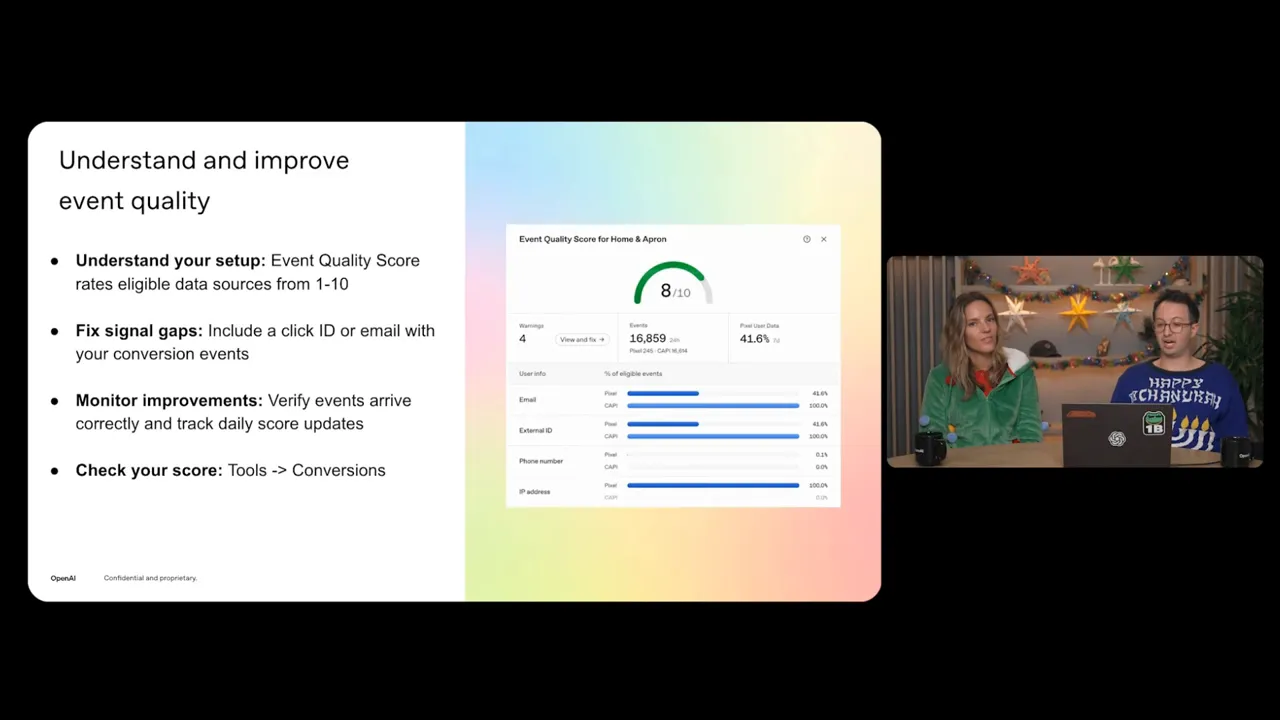
The webinar also showed an Event Quality Score (EQS) for an eligible data source. I would use its warnings to find missing click information, delayed events, or duplicate firing. I would not make a perfect score the campaign goal: OpenAI says EQS does not predict performance or guarantee attribution. Fix the underlying event, then confirm a test conversion arrives.
Retailers also need a current catalog. Product-feed ads can use titles, images, prices, ratings, and availability to show relevant items. OpenAI's feed setup guide supports CSV or TXT upload, a hosted URL, and SFTP. Validate the feed in Ads Manager and keep price and stock in sync with the landing pages. A clever ad cannot fix a product that shows one price in ChatGPT and another at checkout.
2. When to launch ChatGPT Ads for Black Friday and Cyber Monday
In 2026, Black Friday is Friday, November 27 and Cyber Monday is Monday, November 30. Shoppers research before those dates. A campaign launched on the peak day has no earlier results to learn from. Put the launch date on the calendar alongside the sale date, then start when the page, feed, and conversion event are ready.
There is no universal number of days that guarantees a campaign has “learned.” Keep it running, confirm that events arrive, and check delivery. Change one material setting at a time when results justify it. Otherwise, the next review tells you little about what worked.
3. Choose the outcome before the creative
Decide what success means before making the ad. If you need purchases and can measure them, use a conversion goal tied to the purchase event. If measurement is not ready, a click campaign can drive traffic, but clicks should not be presented as sales. OpenAI's Ads basics describes the available objectives and billing options.
The webinar recommends automatic bidding to adjust bids as opportunities change. For eligible product-feed ad groups, OpenAI's current setup guide calls the default strategy Maximize results. We've seen lower CPCs and better delivery with Manual: Max bid than with Maximize results. OpenAI lets advertisers choose manual bids. Test both with a budget you can sustain, and compare purchases or leads alongside CPC before scaling.
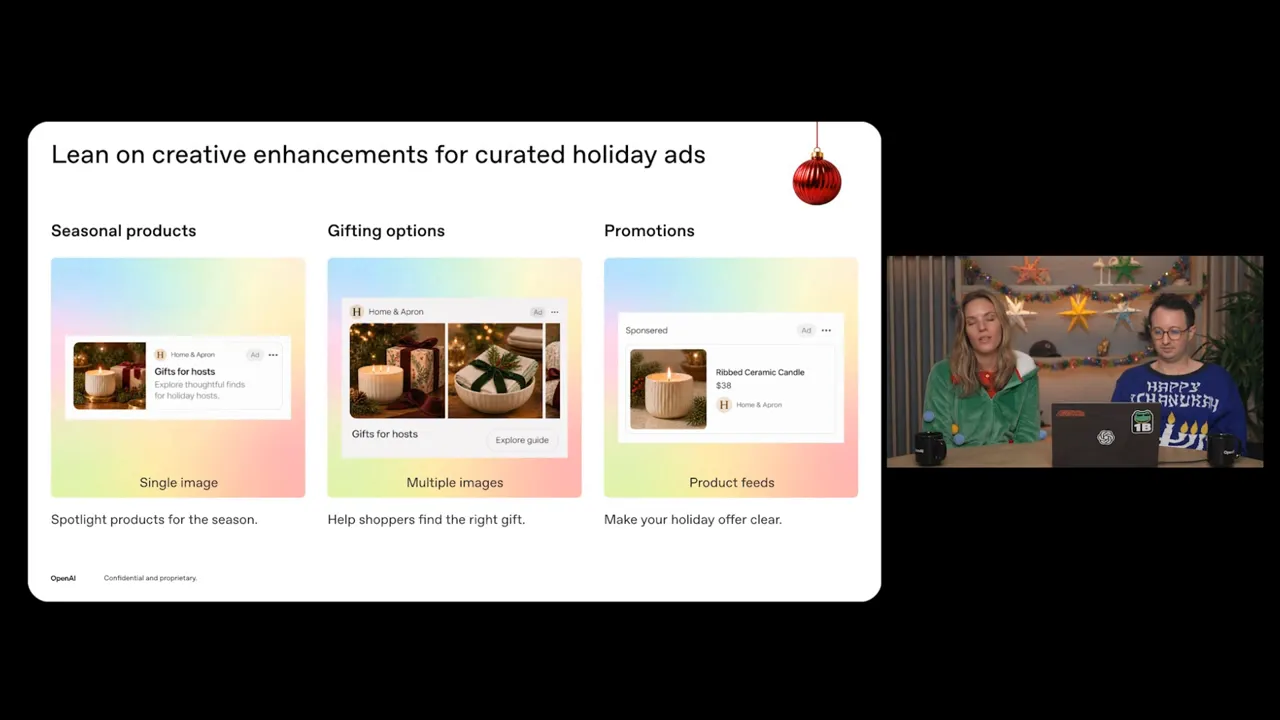
A shopper looking for a gift guide and one looking for a specific product price need different messages. Write specific copy, use clear product images, and keep seasonal offers accurate. OpenAI introduced multiple-image ads as an open beta, alongside single-image and product-feed formats.
That coffee brand demo was a preview of a campaign flow that reads a business website and recommends a goal, bidding setup, and ad creative. The presenters said advertisers may see it over the following days and weeks. For now, plan around the controls available in your account.
4. Review every few days without chasing every dip
OpenAI recommends a check-in every two to three days. Ask three questions:
- Is the ad delivering? Check review status, eligibility, dates, budget, and bid settings.
- Are the intended events arriving? Confirm the correct data source and conversion event. Review event quality warnings if results look weak.
- What is working? Compare spend and attributed outcomes, then increase budget gradually on campaigns that meet your goal.
Compare Ads Manager with first-party order or lead data before making a budget call. OpenAI says attributed conversions can take 24 to 48 hours to appear. Its reporting can include eligible view-through conversions, while GA4 and your order system answer different questions. Record the date range, time zone, and attribution windows before comparing totals. Sometimes the right outcome of a review is to leave the campaign alone.
5. Plan a Q5 message for after Christmas
Q5 is the shopping period after Christmas and into early January. The webinar suggests using what you learned during the peak to address a new intent: a New Year routine, a home refresh, or a post-holiday offer. That may call for a different message or product set, even when the conversion goal stays the same.
Before December 26, save a relevant product set, update the feed and landing pages, and write an ad for the new reason to buy. Do not keep a Christmas promotion live after it expires. Schedule a review in the first week of January and keep the purchase event working so you can compare Q5 results with the Black Friday and Cyber Monday campaigns.
ChatGPT Ads holiday checklist
- Open the exact landing URL from the ad. Confirm it loads, matches the offer, and keeps UTMs and
opprefthrough redirects. - Complete one real test purchase or lead. Confirm its event reaches the right Ads Manager data source and campaign setting.
- Check feed processing, product eligibility, price, stock, image, and destination URL.
- Review the objective, budget, bid strategy, creative, dates, and locations.
- Put the next campaign review and the Q5 refresh on the calendar.
If the conversion event is the piece holding up your launch, book a Hardal demo. We can help you get the first-party event path working before the peak days arrive.