Unlike client-side tagging, server-side tagging allows you to manipulate data in each request to your website or app.
While utilizing this manipulation structure in server-side requests for user privacy, you can also use it for hiding business sensitive data.
In this post, we will explore how each request to the server-side tag is anonymized by Hardal servers and how you can send the hashed x-hardal-user-id data as a variable from GTM to GA4.
What is Hardal User ID
The x-hardal-user-id is created by combining a hash of the following elements:
- User IP Address: We do not store IPs, discard and redact on server logs them upon hash combination.
- User-Agent: This includes information about the user's device, such as Chrome, Firefox, etc.
- Hostname: This represents the user's request host name.
You can only see this this data as request header on sGTM Preview mode.
Sending Hardal User ID from GTM to GA4
Learn how to configure your Server-Side Tag Manager to send the x-hardal-user-id data as a variable from Google Tag Manager (GTM) to Google Analytics 4 (GA4) or BigQuery.
Get details here about streaming to BigQuery from server-side GTM.
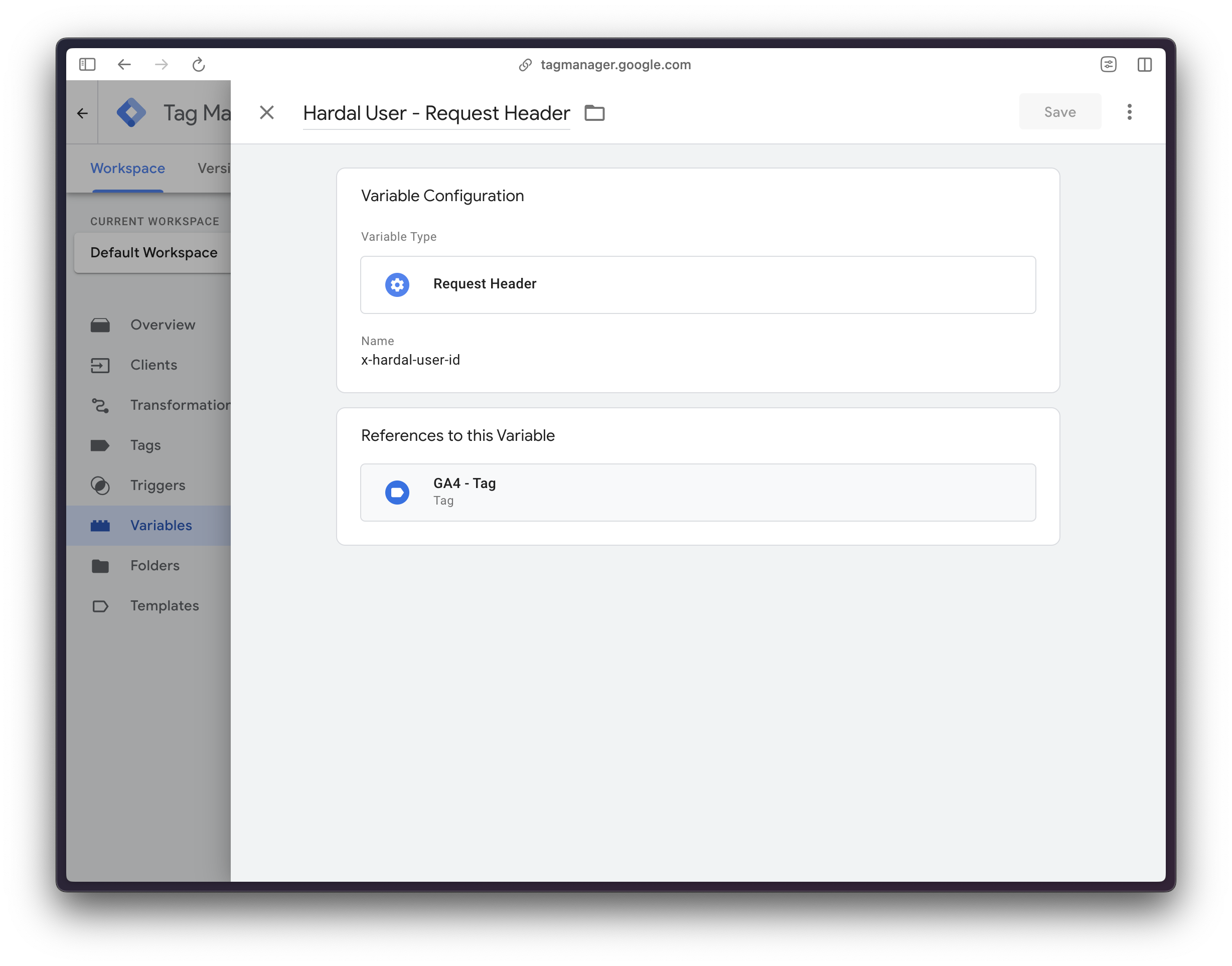
Create a new variable
- Go to your server-side container
- Create a new user-defined variable called User ID
- Choose Request Header
- Name it
x-hardal-user-id
Send Anonymous and Hashed User ID to GA4
- Go to your server-side container
- Go to your Google Tag configuration
- Add as user property your User ID
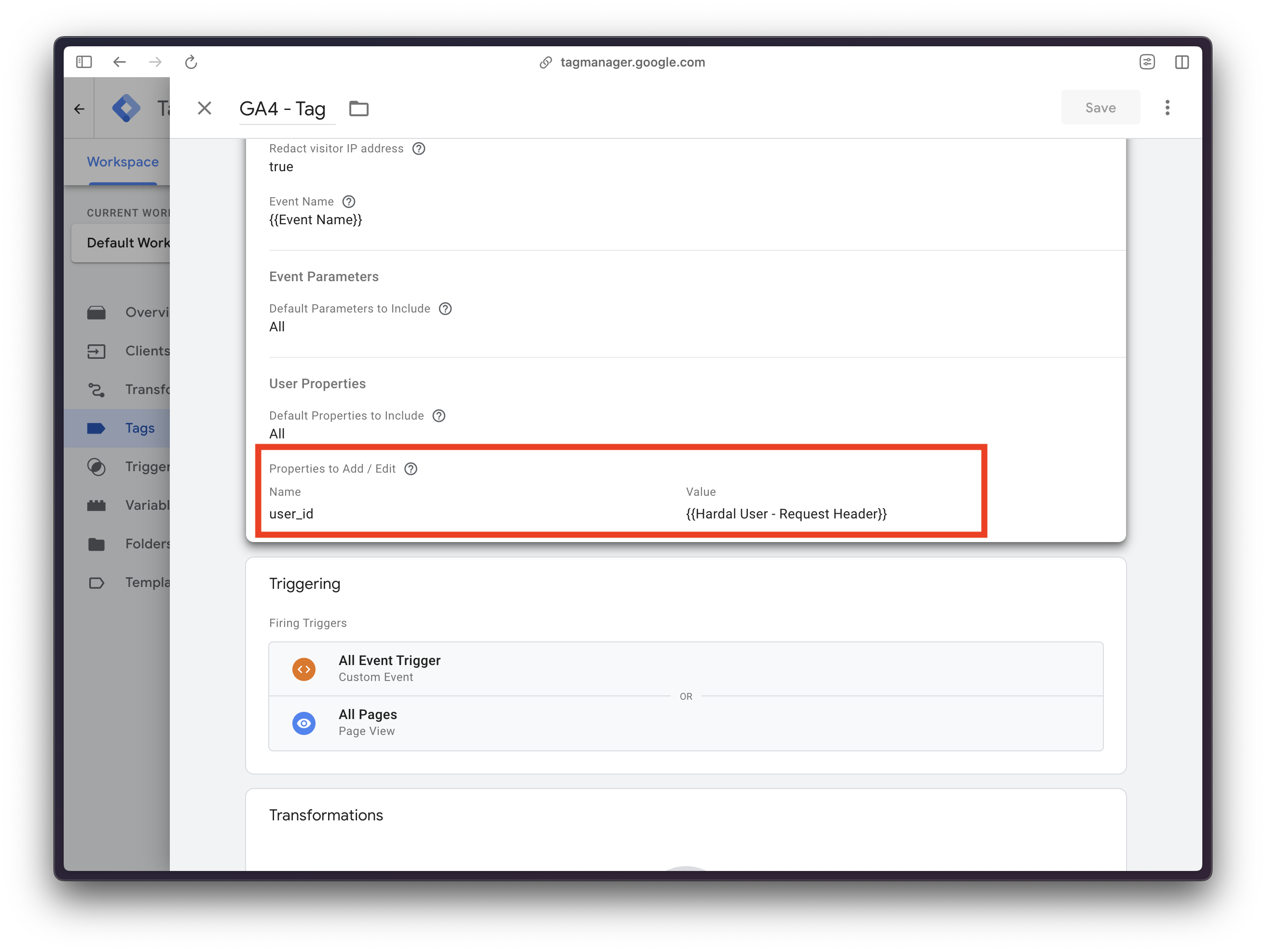
That's all, you can now override original user_id user properties with this hashed and secure value. 🔐
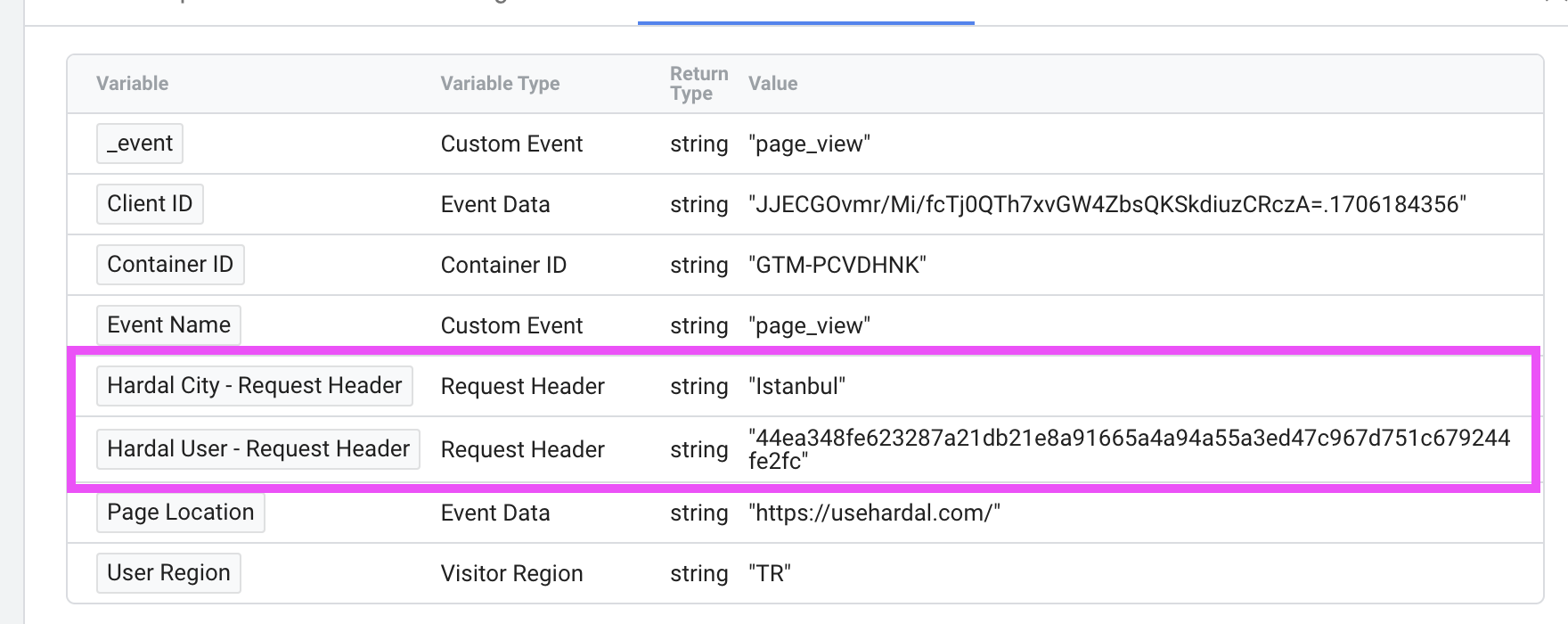
Benefits of Anonymization and Hashed User ID
-
Enhanced User Privacy: Implementing anonymization ensures that user data is protected, aligning with privacy regulations.
-
Accurate Analytics in BigQuery: Sending the
x-hardal-user-iddata as a variable enhances the accuracy of analytics through Google Analytics 4 to BigQuery using server-side Google Tag Manager.
By following these steps, you can able to use server-side tagging for both user privacy and optimizing data handling within your server-side measurement stack.
Ready to take control of your server-side measurement? Sign up for a free trial or request a free demo to experience the new way of server-side tagging, without burnout! 🔥